
We might think how to connect from one to another qlikview app. This is possible by doing Document Chaining. One can achieve this by using ‘Text Object/Button’.
We need to apply the ‘Open Qlikview Document’ action in the first application. 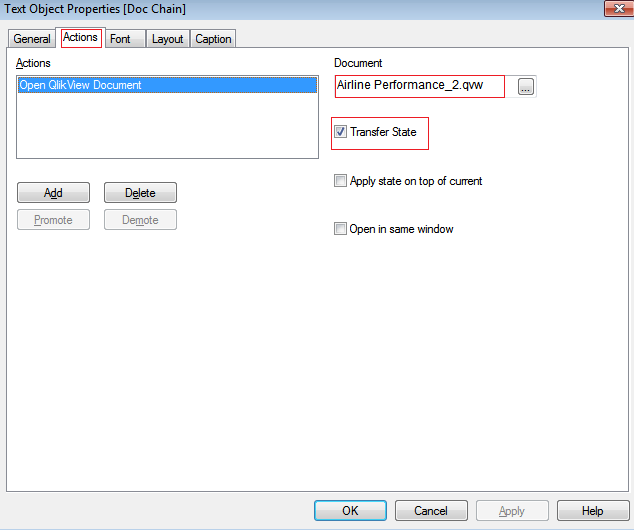
As seen in the screenshot, we need to check Transfer State option to pass the values from first application to second application.
When we click on the button it will redirect to second application (i.e., Airline Performance_2.qvw).
Tip:
- The other application (i.e., Airline Performance_2.qvw) should be closed in order to see reflections of first application selections in second application.
- Both the applications should be present in the same folder.
 Qlikview