There are types of load in qlikview:
1. Inline Load: This kind of load does not store data on disk, rather utilized at run time. We can enter data manually using inline load.

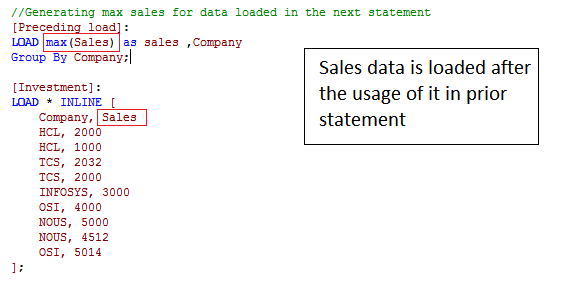
2. Preceding Load: We can call field data before defining it in the next statement which is referred to as preceding load.
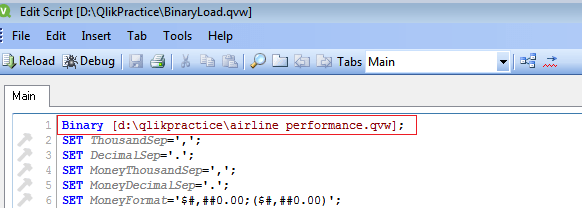
3. Binary Load: In real time, qlikview application follows 3-tier architecture i.e., Design-Architecture-Reports(DAR). 3 different applications are maintained for each of them.So, data loading is done Design application modified in Architecture application and utilized in the Report application. To access the data across the applications, we use this binary load as the first statement in the edit script.
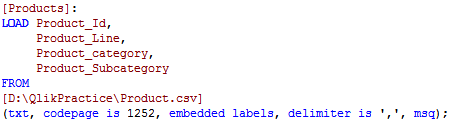
4. Loading from Files: We can load data from different kind of files such as .csv, .xls, .xml and web files(by providing URL).
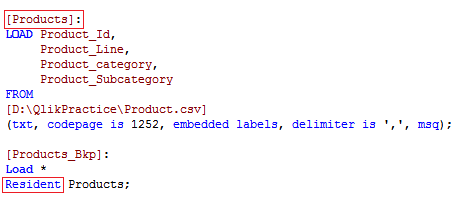
5. Resident Load: Using the table loaded in the application as a source for another table creation is treated as Resident Load.
6. Load from QVD: When we pull millions of data from database it takes long time to load. To prevent this we can load data into qvd once and use it across the applications.
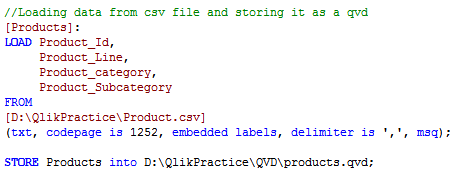
7. Incremental Load: When we load data in qvd format, we need to refresh the qvd data as the database gets updated each minute. To approach this we cannot reload the entire data, instead we go for incremental load maintaining Last updated time, which retains the entire data.
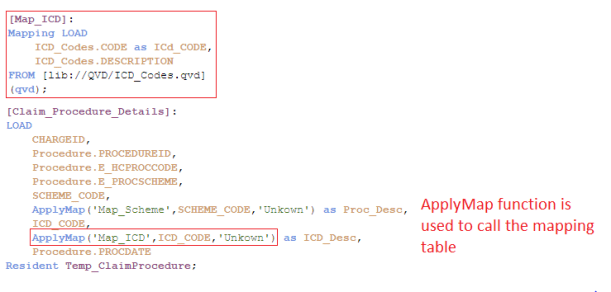
8. Mapping Load: We can create a mapping table and use the column values to load another table column value. Mapping table contains only 2 columns, one is the join column and other is the value associated with that column.


 Qlikview